Why You Need a Status Page
A status page isn't just a nice-to-have. It's the difference between customers trusting you through an outage and customers leaving because they felt ignored.
Your Customers Already Know You're Down
When your service goes down, the first thing users do is check Twitter, Reddit, or Hacker News. If they don't find anything from you, they assume the worst - that you either don't know about the problem or don't care enough to communicate.
A status page changes that dynamic entirely. Instead of silence and speculation, your customers get a single, reliable source of truth: what's affected, what you're doing about it, and when they can expect resolution.
It's not a technical luxury. It's a trust infrastructure.
What a Status Page Actually Does
A status page is a public (or private) webpage that shows the current operational state of your services. At its simplest, it answers one question: is it working right now?
But a good status page does more than that:
- Shows real-time status of each service or component
- Displays uptime history so customers can see your reliability track record
- Communicates incidents with timestamped updates as they unfold
- Announces scheduled maintenance before it happens
- Notifies subscribers via email when something changes
It's the single place where customers, partners, and internal teams go to understand what's happening with your infrastructure - without flooding your support inbox.
The Cost of Not Having One
Support Ticket Storms
Without a status page, every user who experiences an issue opens a support ticket. A 15-minute outage affecting 10,000 users can generate hundreds of "is it down?" tickets. Your support team spends the next hour responding to the same question instead of helping with the actual incident.
A status page absorbs that demand. Users check the page, see the issue is acknowledged, and wait - no ticket needed.
Lost Trust from Silence
Silence during an outage is interpreted as incompetence. Customers don't think "they're probably working on it" - they think "they don't even know it's broken." The longer the silence, the deeper the trust erosion.
A status page with real-time updates shows that you're aware, responsive, and working toward resolution. Even if the fix takes time, the communication itself builds confidence.
SLA Disputes Without Evidence
If your contracts include uptime SLAs (99.9%, 99.95%, etc.), you need historical data to prove compliance. Without a status page tracking uptime over time, SLA discussions become he-said-she-said arguments.
A status page with uptime history provides transparent, auditable proof of your track record - for both you and your customers.
Churn from Perceived Unreliability
Users don't churn because of one outage. They churn because they felt uninformed during the outage. A well-communicated 30-minute incident builds more trust than a silent 5-minute one. The status page is the communication channel that makes the difference.
What to Put on Your Status Page
Individual Service Components
Don't show a single "all systems operational" indicator. Break your infrastructure into the components your customers care about:
- Web Application - Can users access the dashboard?
- API - Are API endpoints responding?
- Authentication - Can users log in?
- Payments - Is billing and checkout working?
- Email Delivery - Are transactional emails going out?
- CDN / Assets - Are static files loading?
When only one component is affected, customers using other parts of your service can see that their workflow is fine - reducing unnecessary concern and support tickets.
Uptime History
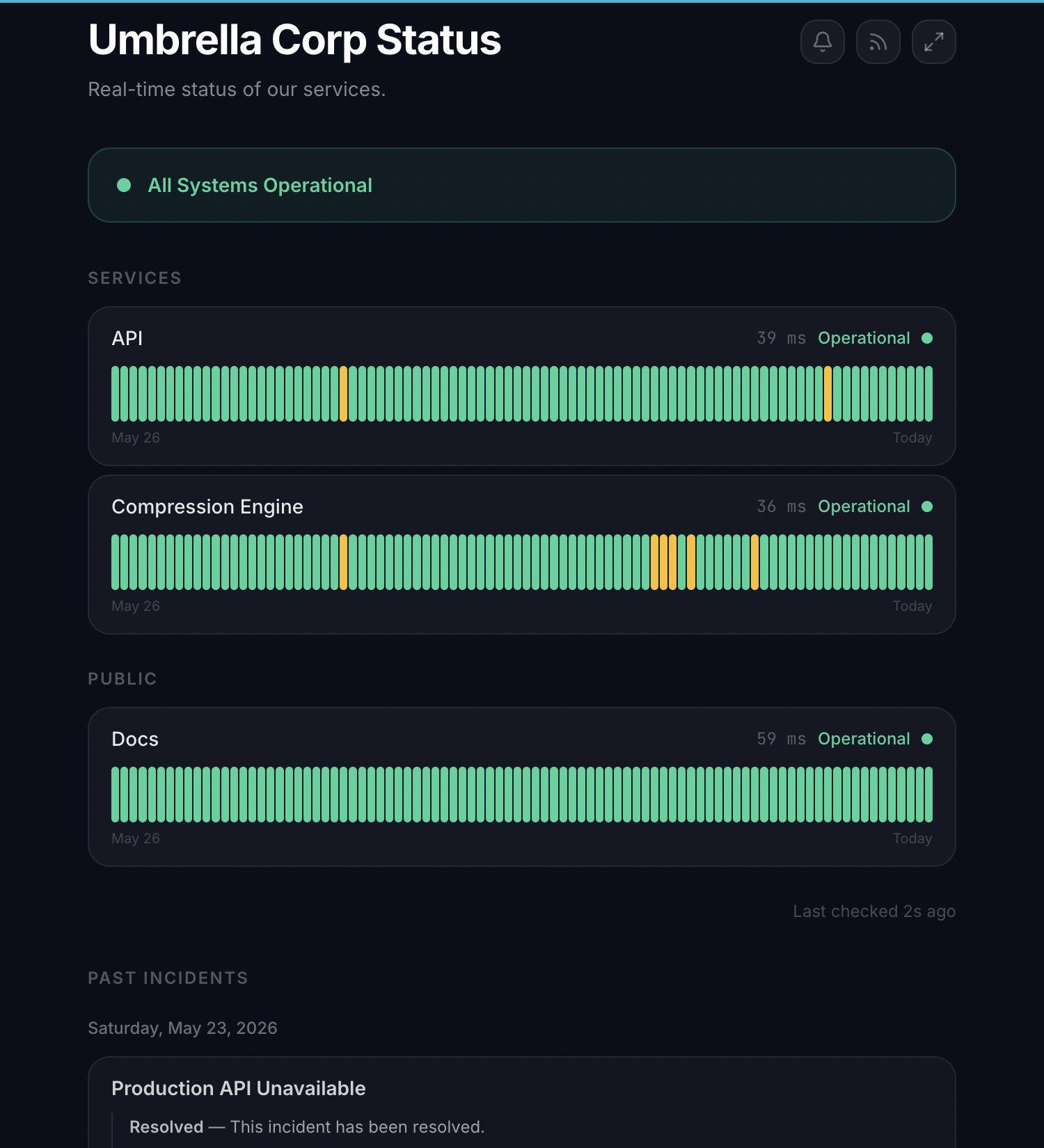
Show a visual uptime bar (typically 30, 60, or 90 days) for each component. This gives customers an at-a-glance view of your reliability. A row of green bars builds confidence. An occasional yellow or red bar shows honesty - which builds even more confidence than pretending outages never happen.
Incident Timeline
When something goes wrong, post updates with timestamps:
| Time | Update |
|---|---|
| 14:03 | Investigating increased error rates on the API |
| 14:12 | Identified - database connection pool exhausted |
| 14:25 | Fix deployed, monitoring recovery |
| 14:31 | Resolved - all services operational |
This timeline tells a story: you detected quickly, identified the root cause, deployed a fix, and confirmed recovery. That's exactly what customers want to see.
Scheduled Maintenance
Announce maintenance windows before they happen. Customers who know about planned downtime in advance don't file tickets, don't panic, and don't lose trust. They plan around it.
Subscriber Notifications
Let customers subscribe (via email or webhook) to receive updates when status changes. This is especially valuable for API consumers and integration partners who need to know about outages programmatically.
Public vs. Private Status Pages
Public Status Pages
Visible to anyone. Best for customer-facing services, SaaS products, and APIs. A public status page signals transparency and confidence in your reliability.
Private Status Pages
Protected behind authentication or a private URL. Best for internal infrastructure, client-specific dashboards (agencies), or services where public visibility isn't appropriate.
Most teams start with a public page for their main product and add private pages for internal services or specific client accounts as needed.
Status Page Anti-Patterns
The "Always Green" Page
A status page that never shows incidents is worse than no status page at all. Customers know your service has had issues - if the status page says otherwise, they stop trusting it. When a real outage happens and the page still says "operational," it becomes actively harmful.
Be honest. Post incidents. Show real uptime data. Transparency builds more trust than a perfect green bar that everyone knows is fake.
Manual-Only Updates
If your status page requires someone to manually update it during an incident, it will be outdated during the most critical moments - because your team is busy fighting the fire. Automate status updates based on your monitor states so the page reflects reality in real time.
Too Much Technical Detail
Your customers don't need to know that "the pg_stat_activity view showed 847 idle-in-transaction connections." They need to know "we're experiencing database connectivity issues and working on a fix." Write status updates for your customers, not your engineering team.
No Subscribe Option
A status page that requires customers to manually check it misses half the value. Subscribers get notified proactively - they don't need to remember to check the page during an outage.
How to Set One Up
With Vantaj, a status page takes about 2 minutes to configure:
- Create a status page and give it a name
- Add the monitors that represent your customer-facing services
- Optionally connect a custom domain (e.g.,
status.yourcompany.com) - Enable subscriber notifications so users can opt in to updates
- Share the URL with your customers - add it to your app's footer, docs, and support pages
The status page is hosted on independent infrastructure, so it stays online even when your main application doesn't. Incidents and maintenance windows are reflected automatically based on your monitor states and scheduled maintenance.
Where to Link Your Status Page
Make it easy to find:
- App footer - The most common location
- Documentation - In your support or help section
- Login page - So users can check status when they can't log in
- Support widget - Link to it from your help desk or chatbot
- Email signatures - Your support team's outgoing emails
- DNS - Set up
status.yourcompany.comas a custom domain
The easier it is to find, the fewer "is it down?" tickets your support team handles.
The Bottom Line
A status page costs almost nothing to set up and saves enormous amounts of time, trust, and support burden during every incident. It's one of the highest-ROI investments you can make in your customer communication infrastructure.
Your customers will experience outages. What they remember isn't the outage itself - it's how you communicated through it.