4xx vs 5xx - Client-Side and Server-Side Errors Explained for Monitoring
Not all HTTP errors are created equal. 4xx means the client did something wrong, 5xx means the server did. Here's how to tell them apart and what each means for your monitoring.
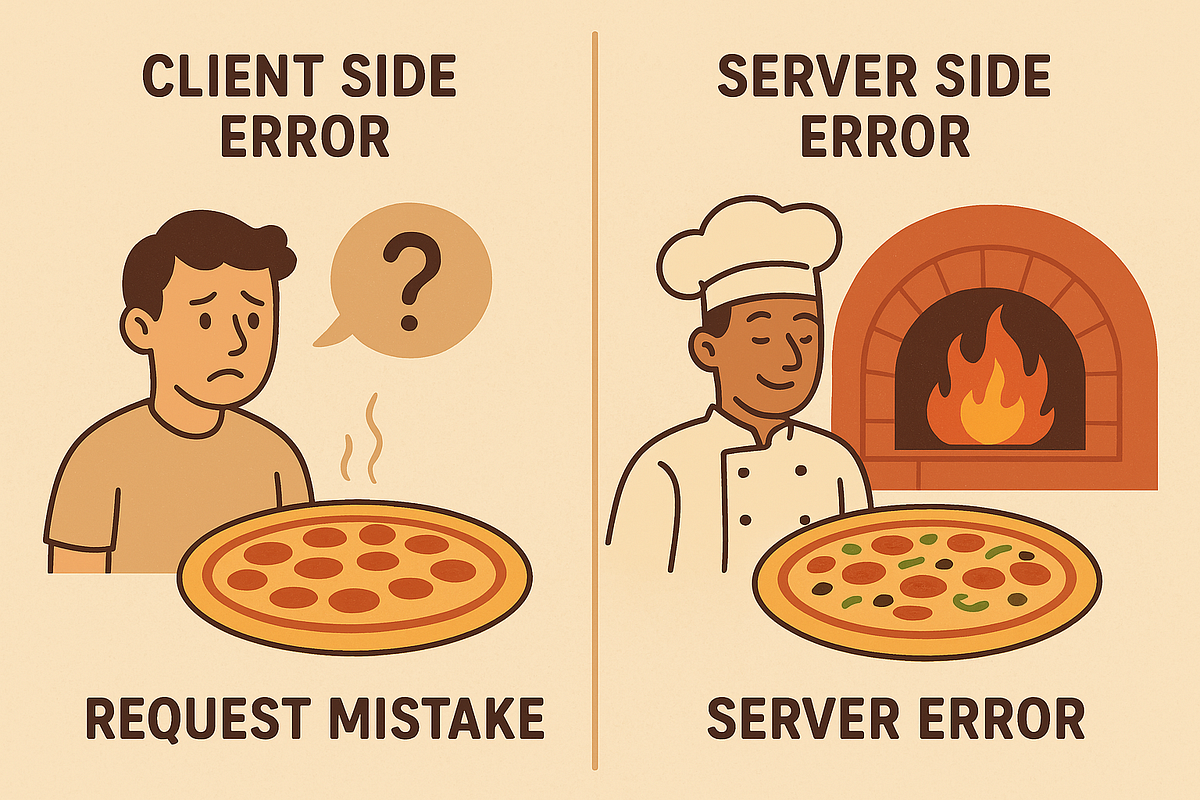
The Error Code Tells You Who's at Fault
When an HTTP request fails, the status code is the first clue. It doesn't just say "something went wrong" - it tells you where the problem is.
- 4xx errors mean the client made a bad request. The server understood what was asked but can't or won't fulfill it because something is wrong with the request itself.
- 5xx errors mean the server failed. The request was valid, but the server couldn't process it due to an internal problem.
This distinction is fundamental to how you debug issues, how you configure your monitoring, and how urgently you need to respond when alerts fire.
4xx - The Client Did Something Wrong
A 4xx error tells you the problem is on the requester's side. The server received the request, parsed it, and decided it can't proceed - not because of a server failure, but because the request is invalid, unauthorized, or asking for something that doesn't exist.
Common 4xx Status Codes
| Code | Name | What it means |
|---|---|---|
| 400 | Bad Request | The request is malformed - invalid JSON, missing required fields, wrong content type |
| 401 | Unauthorized | No valid credentials provided (authentication failed) |
| 403 | Forbidden | Credentials are valid but insufficient permissions (authorization failed) |
| 404 | Not Found | The requested resource doesn't exist at this URL |
| 405 | Method Not Allowed | The HTTP method isn't supported (e.g., POST on a GET-only endpoint) |
| 408 | Request Timeout | The client took too long to send the complete request |
| 409 | Conflict | The request conflicts with the current state (e.g., duplicate resource) |
| 413 | Payload Too Large | The request body exceeds the server's size limit |
| 422 | Unprocessable Entity | The request is well-formed but semantically invalid (common in APIs) |
| 429 | Too Many Requests | Rate limit exceeded - slow down |
What 4xx Errors Mean for Your Service
A 4xx response is your server working correctly. It received a bad request and told the client what's wrong. This is healthy behavior - your server is validating input and enforcing rules exactly as designed.
A spike in 4xx errors can indicate:
- A broken client deployment - A frontend update introduced a bug that sends malformed API requests
- An integration issue - A third-party integration changed their request format
- A bot or scraper - Automated traffic hitting invalid URLs or endpoints
- A misconfigured redirect - Users are being sent to URLs that no longer exist
The key insight: 4xx errors don't mean your server is broken. They mean someone is sending requests your server can't process.
5xx - The Server Did Something Wrong
A 5xx error means your server accepted a valid request but couldn't complete it. Something is broken on your side - an unhandled exception, a crashed process, an unreachable database, or an overloaded system.
Common 5xx Status Codes
| Code | Name | What it means |
|---|---|---|
| 500 | Internal Server Error | A generic catch-all - the server encountered an unexpected condition |
| 502 | Bad Gateway | The server, acting as a proxy, received an invalid response from an upstream server |
| 503 | Service Unavailable | The server is temporarily unable to handle requests (overloaded or in maintenance) |
| 504 | Gateway Timeout | The server, acting as a proxy, didn't receive a timely response from upstream |
What 5xx Errors Mean for Your Service
A 5xx response means your service is failing for users. Unlike 4xx errors, these are always your responsibility and almost always require investigation.
500 - Internal Server Error
The catch-all. An unhandled exception, a null pointer, a failed assertion - your application code hit a condition it wasn't prepared for. Check your application logs for the stack trace.
502 - Bad Gateway
Your reverse proxy (Nginx, Cloudflare, a load balancer) tried to forward the request to your application server, but got garbage back - or the application server wasn't running at all. Common causes:
- Your application process crashed and hasn't restarted
- The application is running but listening on the wrong port
- A deployment is in progress and the new version hasn't started yet
503 - Service Unavailable
Your server is alive but can't handle requests right now. This often comes with a Retry-After header telling the client when to try again. Common causes:
- Server is overloaded (CPU, memory, or connection limits maxed out)
- Planned maintenance (the server is deliberately returning 503)
- Auto-scaling hasn't caught up with a traffic spike
504 - Gateway Timeout
Your proxy waited for your application to respond, but it took too long. The application might be:
- Stuck on a slow database query
- Waiting for an unresponsive third-party API
- Deadlocked or otherwise hung
4xx vs 5xx at a Glance
| 4xx Client Errors | 5xx Server Errors | |
|---|---|---|
| Who's at fault? | The client (requester) | The server (your service) |
| Is the server healthy? | Yes - it's rejecting bad requests correctly | No - something is broken |
| Requires your attention? | Usually not (unless spiking) | Always |
| Typical response | Fix the client, not the server | Fix the server immediately |
| Impact on users | Only the user making the bad request | All users hitting the affected endpoint |
| Monitoring urgency | Low (track trends) | High (alert immediately) |
How to Handle Each in Your Monitoring
For 5xx Errors: Alert Immediately
Any 5xx response from a monitored endpoint is a potential outage. Your monitoring should:
- Treat any 5xx as "down" - This is the default in most monitoring tools, including Vantaj
- Verify from multiple regions before alerting - A single 5xx could be a transient issue; confirmed 5xx from multiple probes is a real problem
- Alert via high-priority channels - Slack, SMS, or whatever gets your team's attention fastest
A 502 or 503 that self-resolves in 30 seconds might not need a full incident response, but your monitoring should still record it. Frequent brief 5xx responses indicate instability that will eventually become a sustained outage.
For 4xx Errors: Monitor Trends, Don't Alert on Every One
Individual 4xx responses are usually not actionable for your ops team. But patterns in 4xx errors reveal important problems:
- Rising 404 rate - Broken links, removed pages, or a redirect that stopped working
- Sudden 401/403 spike - An API key rotation that broke an integration, or a WAF rule that's blocking legitimate traffic
- 429 rate limiting - A client that needs to back off, or rate limits that are too aggressive for legitimate usage
Set up dashboards to track 4xx rates over time rather than alerting on individual occurrences.
Configure Expected Status Codes
Some endpoints legitimately return 4xx under normal conditions:
- A health check that tests auth might expect a 401 to confirm the auth layer is working
- A monitoring probe might hit a protected endpoint and expect a 403 to confirm the WAF is active
In Vantaj, you can specify which status codes count as "up." If your endpoint returns 403 by design (because it's behind IP restrictions and you're just checking the server responds), configure the monitor to expect 403 instead of false-alerting on every check.
Watch for 5xx Hiding Behind CDNs
CDNs and load balancers sometimes mask 5xx errors. Your origin server returns 502, but the CDN serves a cached version of the page and returns 200 to the user. The outage is real, but your monitor sees 200.
To catch this:
- Monitor your origin server directly, not just through the CDN
- Use response body validation to check for expected content - a cached error page will have different content than a fresh response
- Monitor a non-cacheable endpoint (like
/health) that always hits the origin
Quick Decision Tree
Your monitor got an error. Now what?
- Is it a 4xx?
- Is it a 401 or 403? → Check your monitor's credentials or IP allowlist
- Is it a 404? → The URL might have changed - update the monitor
- Is it a 429? → You're checking too frequently - increase the interval
- Is it something else? → Probably a monitor configuration issue, not a service problem
- Is it a 5xx?
- Is it a 500? → Check application logs for the unhandled exception
- Is it a 502? → Check if your application process is running
- Is it a 503? → Check server load and whether maintenance mode is on
- Is it a 504? → Check for slow database queries or unresponsive dependencies
- All 5xx errors need investigation. Your service is failing for users.
The status code is the starting point, not the answer. But knowing whether you're dealing with a client problem or a server problem saves you from chasing the wrong root cause.